
For loan officers
Build a clean, easy-to-understand
presentation in 2 minutes.
Walk them through it live. Follow up automatically.
Paste the debts. Pick the home loan. Text one link. Your client sees the cards paid off, the cash back and what they keep each month, with your name and NMLS.
For a home loan or a HELOC, a purchase, or a side-by-side of loan lengths.

New email? You go straight in. Already have an account? We email you a one-time sign-in link.
We will let you know before any paid plan begins. By creating an account you agree to the Terms of Service and the Privacy Policy.
The rate is one number.
Their month is the story.
The rate can go up. The balance can go up. And your client can still come out ahead: cards paid off, fewer bills, cash back, and a way to pay the home off sooner.
Loan-Pitch Pro puts that on one page they understand.
Every payoff illustration shows the effective interest rate.
- 4client pages
- 1private link
- 1tap to call you

This is what lands on their phone.
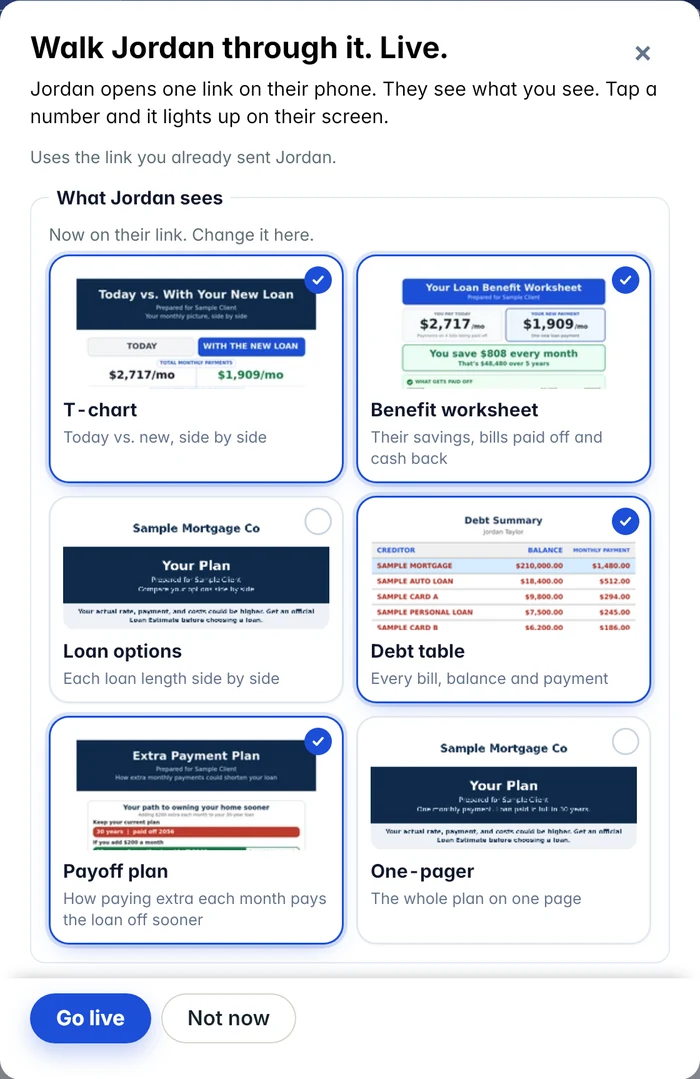
- Only the pages you pick. Picture cards in the app let you choose a private, numbers-only view: T-chart, Debt table, Benefit worksheet or Payoff plan.
- The plan you recommend, and the terms you picked. They can switch loan lengths on their phone. The one you marked is clearly recommended.
- Call or text you in one tap. Or ask you a question right from the page.
- Let them try extra payments. If you turn it on, a slider shows what a little extra each month does, with the effective interest rate.
- Your name. Your logo. Your NMLS. Your branding on every page. No app, no sign-up, and never our name.
Walk them through it. Live.
Text one link. Their phone follows your screen. A Client’s view shows you the same phone they see, so you’re never guessing.
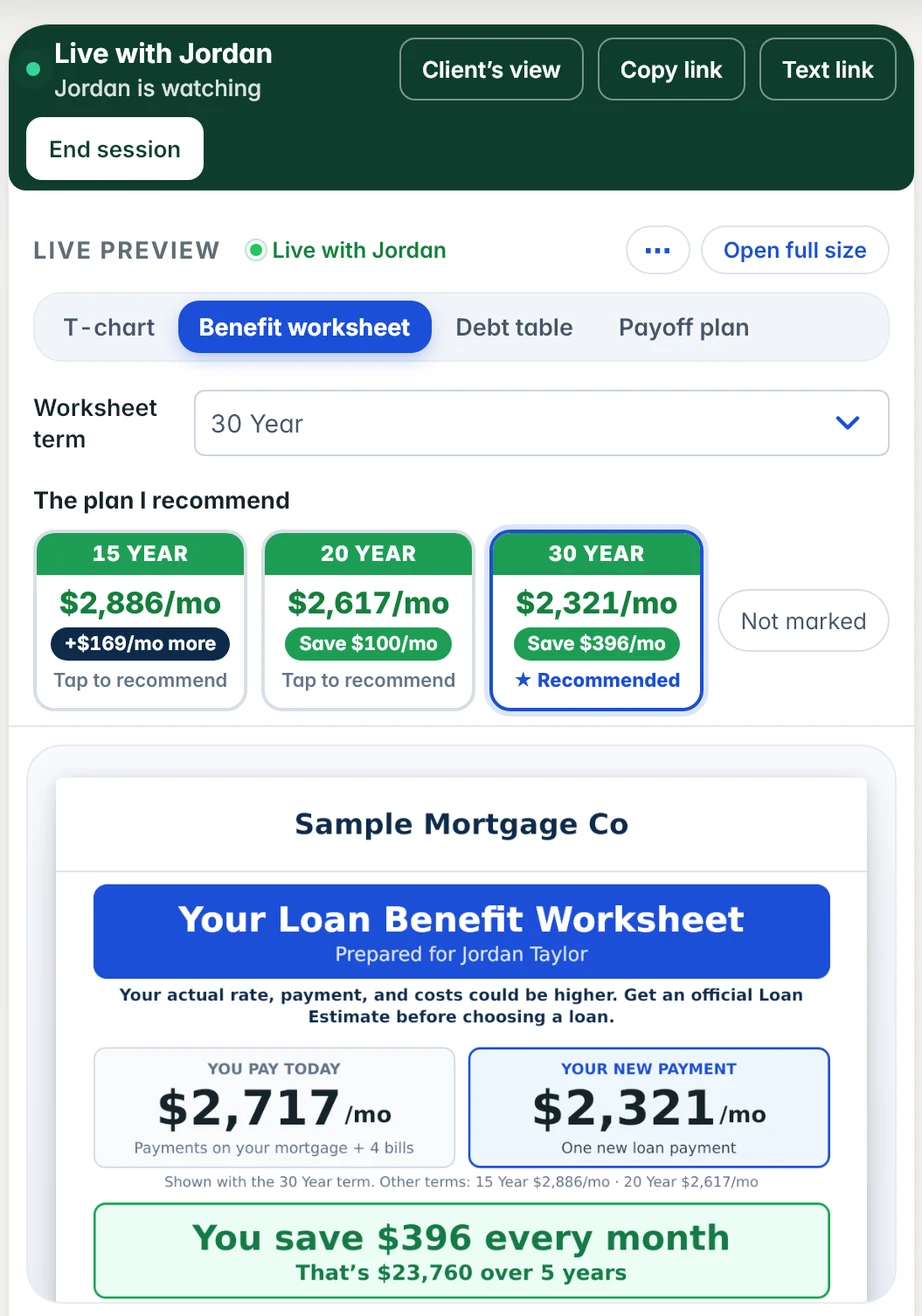
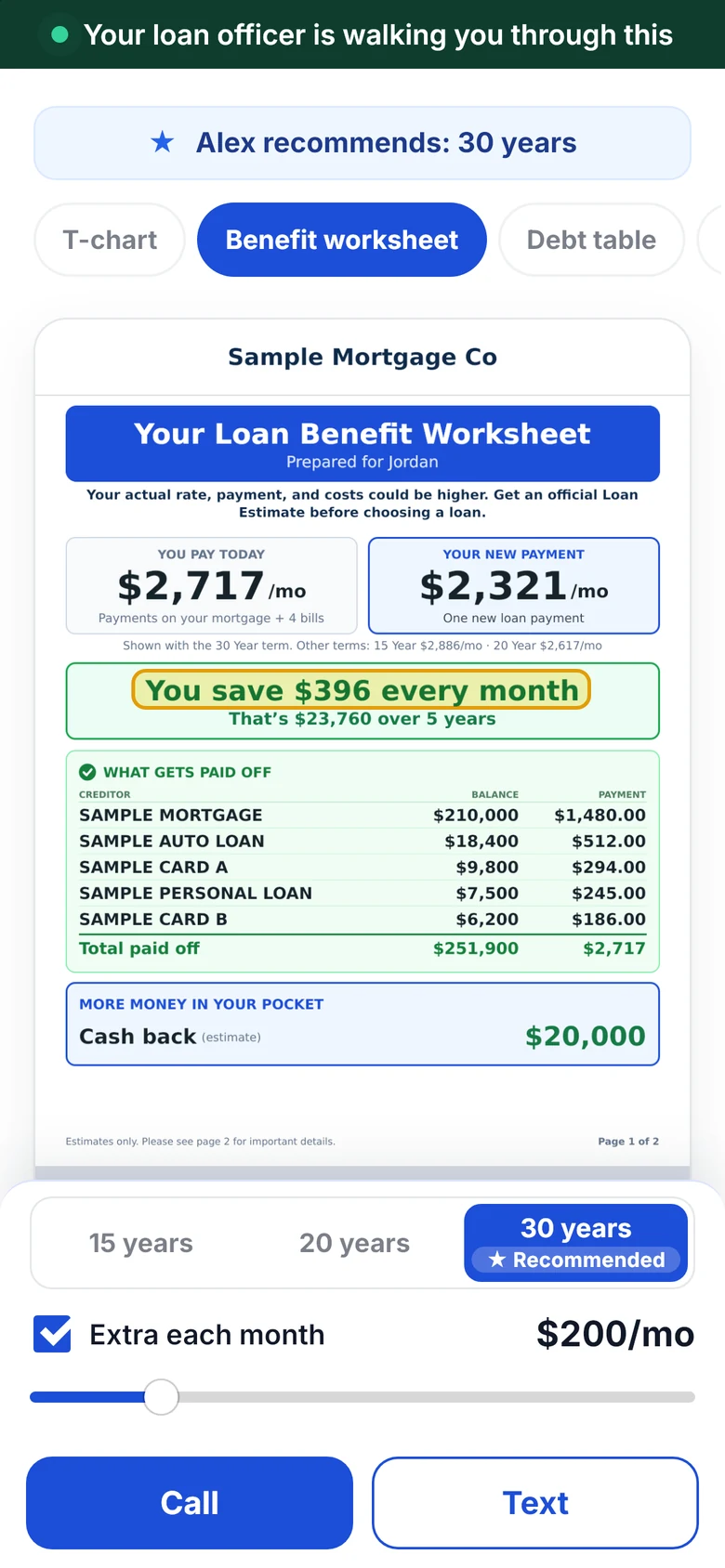

- Point at any number. It lights up on their phone too.
- Know they’re looking. See “Jordan is watching” while you talk.
- See exactly what they see. Open Client’s view and their phone is mirrored next to you.
After you send the link,
you stay in the conversation.
- Know when they open it. Get an email when your client opens their numbers, and a Monday email (if you turn it on) that tells you who is hot, who opened and who asked.
- Update the same link. When the numbers or pages change, Update link pushes the latest to the link they already have. Resend when you need to send it again.
- Automated follow-ups, with their OK. Monthly emails go only to clients who agreed, only while their link is live, and every note has a one-click unsubscribe.

Three steps. Two minutes.
-
1
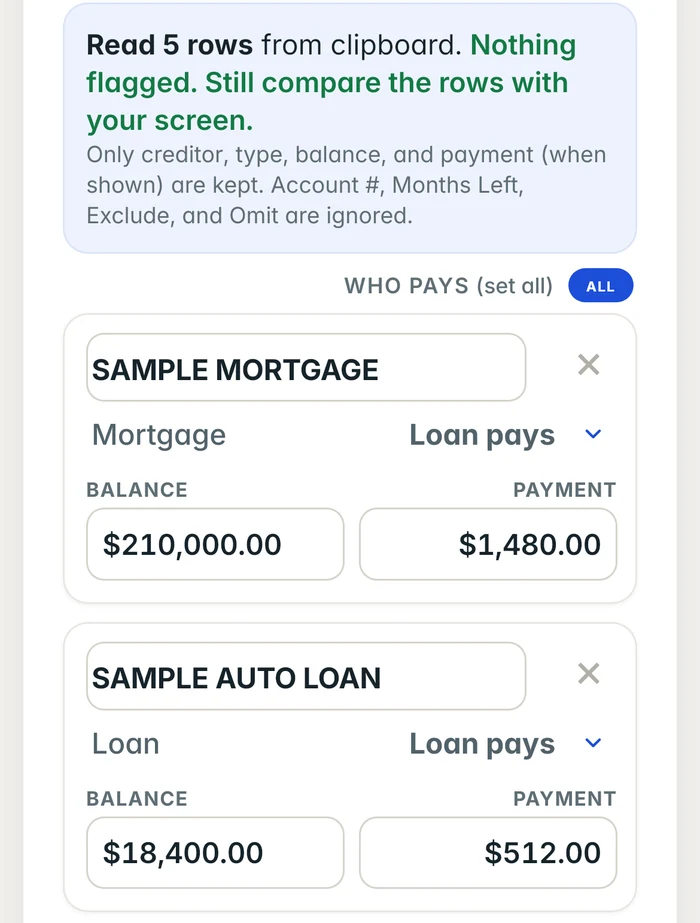
Paste the debts
From Encompass, a credit report or a screenshot. Read in your browser.
-
2
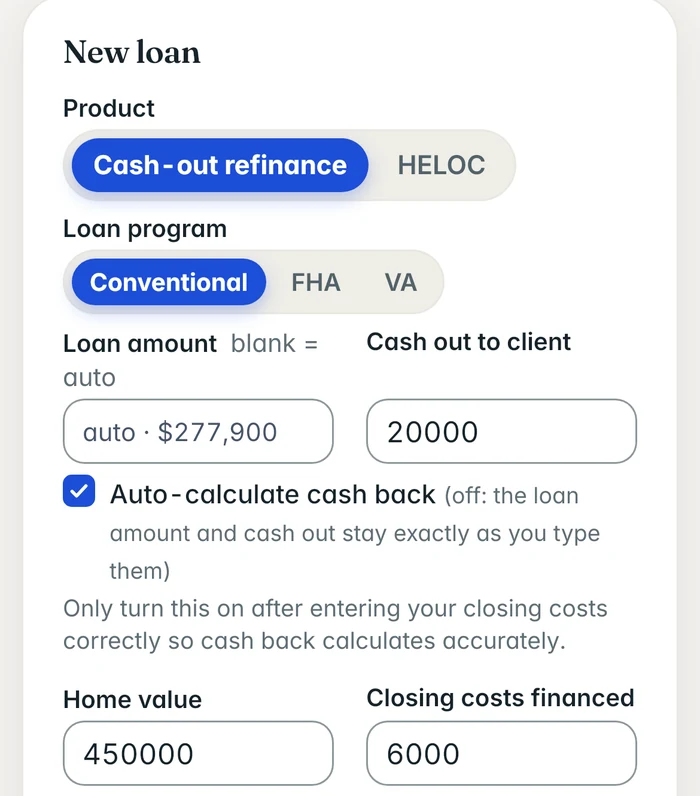
Pick the home loan
Enter the home value, the cash back and your rates. Every page updates as you type.
-
3
Send it, show it, or print it
Pick the pages with picture cards. Text a private link, present live on the call, or download a PDF.
Everything you get
- Every feature included
- Private client links with Call and Text buttons
- Present live, plus a Client’s view of their phone
- Picture-card page picks: T-chart, Debt table, Benefit worksheet and Payoff plan
- Paste from Encompass, a credit report or a screenshot
- An email when your client opens their link, and a Monday email for you
- Update the same link when the numbers change, and Resend when you need to
- Monthly follow-up emails to clients who said OK, with a one-click unsubscribe
- PDF download with your logo, NMLS and disclaimers
- Unlimited clients and links
- Updates and a quick-start guide included
No card required. Just your email.
Help shape it: every LO note gets read.
Tell us what works and what doesn’t with the Feedback button.
Private by default. Client files stay in your browser unless you turn on encrypted auto-save. Client links are encrypted and expire. Credit-report images are never stored. Privacy Policy
Questions
What does my client actually see?
A private link opens a numbers-only page on their phone with only the pages you pick: the T-chart, Debt table, Benefit worksheet or Payoff plan. If you offer more than one loan length, they get term buttons, and the plan you recommend is marked. It shows your name, your logo and your NMLS, with Call and Text buttons to reach you. No app and no sign-up.
What is Present live?
While you are on the phone, tap Present live in the app and text your client the link. Their phone follows your screen: the same page, and when you tap a number it lights up on their screen too. Client’s view shows you that same phone in a frame, and it never counts as an open. When you end the session, their link goes back to normal.
What follow-up emails do you send?
You can get an email when your client opens their link. If you turn on the Monday email, it goes only to you, and only when something is new: who is hot, who opened and who asked. Monthly emails go only to clients who agreed to receive them, only while their link is live and at least a week old. Every monthly email has a one-click unsubscribe, and a client who unsubscribes is never emailed again.
Does my clients' information leave my computer?
Not unless you choose to. By default, debt tables, client names and balances are processed and saved in your browser only. If you turn on auto-save, client files (names and numbers, plus notes only if you choose) are encrypted in your browser with a key only you have before they are uploaded, so we can’t read them. Credit-report images are never stored. See the Privacy Policy.
How much does it cost?
Loan-Pitch Pro is free during beta. No card is required. We will let you know before any paid plan begins.
Can I stop any time?
Yes. During the beta there is nothing to cancel and no card on file. Email support@loanpitchpro.com if you have questions.
Does Loan-Pitch Pro make my graphics compliant?
No. Loan-Pitch Pro is software, not a compliance service. It does not check, approve or certify anything, and it does not provide legal, tax or compliance advice. The default disclosure wording is a neutral starting point you can edit. You are responsible for the accuracy of what you enter, for every required disclosure, and for getting your company's compliance approval before you send anything to a client. See the Terms.
Your next client call
starts with one link.
Free during beta. No card required. We want your feedback.